NextStep
VX9Studio · Contains no adsConquer Your Day with NextStep
Say goodbye to chaotic mornings and overwhelming checklists. NextStep turns routine tasks into visual time-blocks with persistent alarms you won't accidentally swipe away.
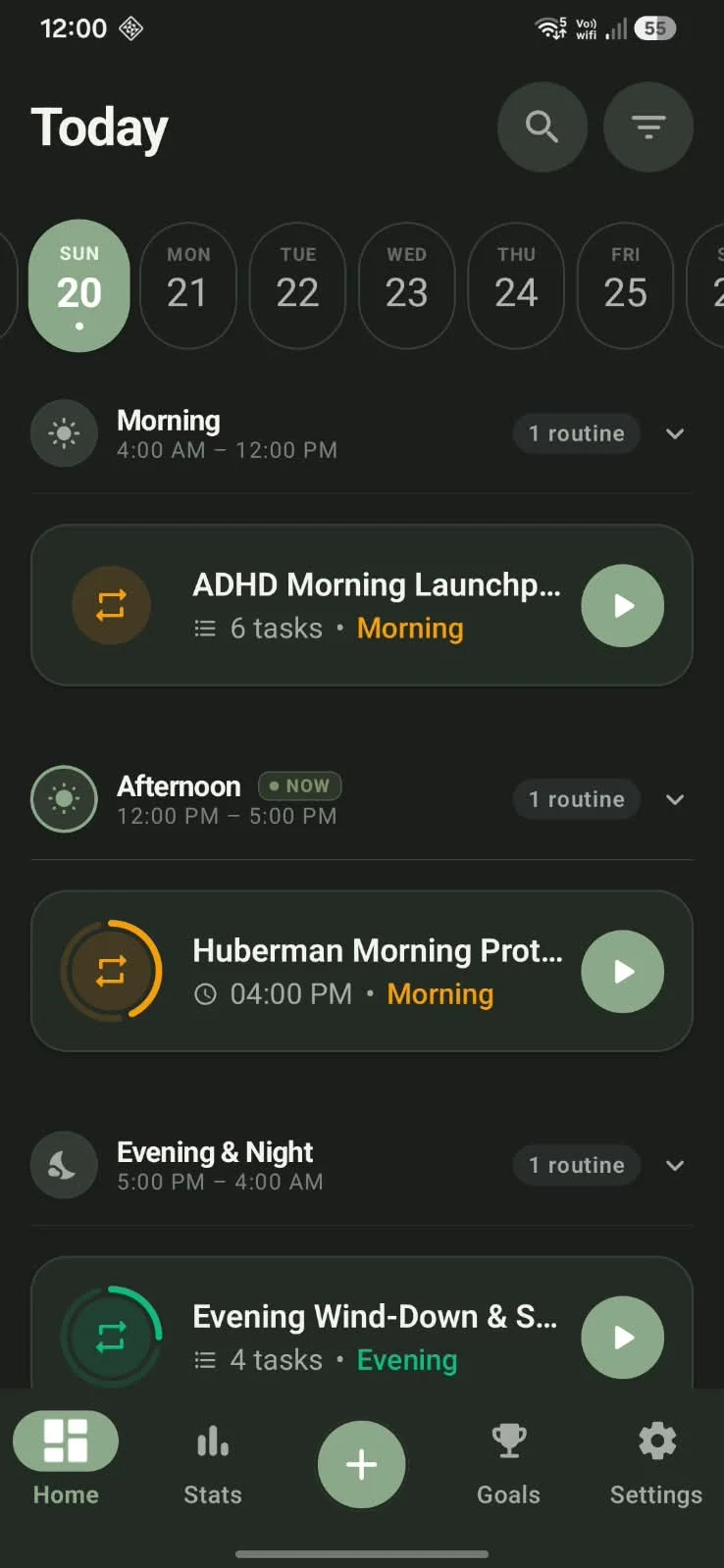
Designed for Effortless Daily Flow
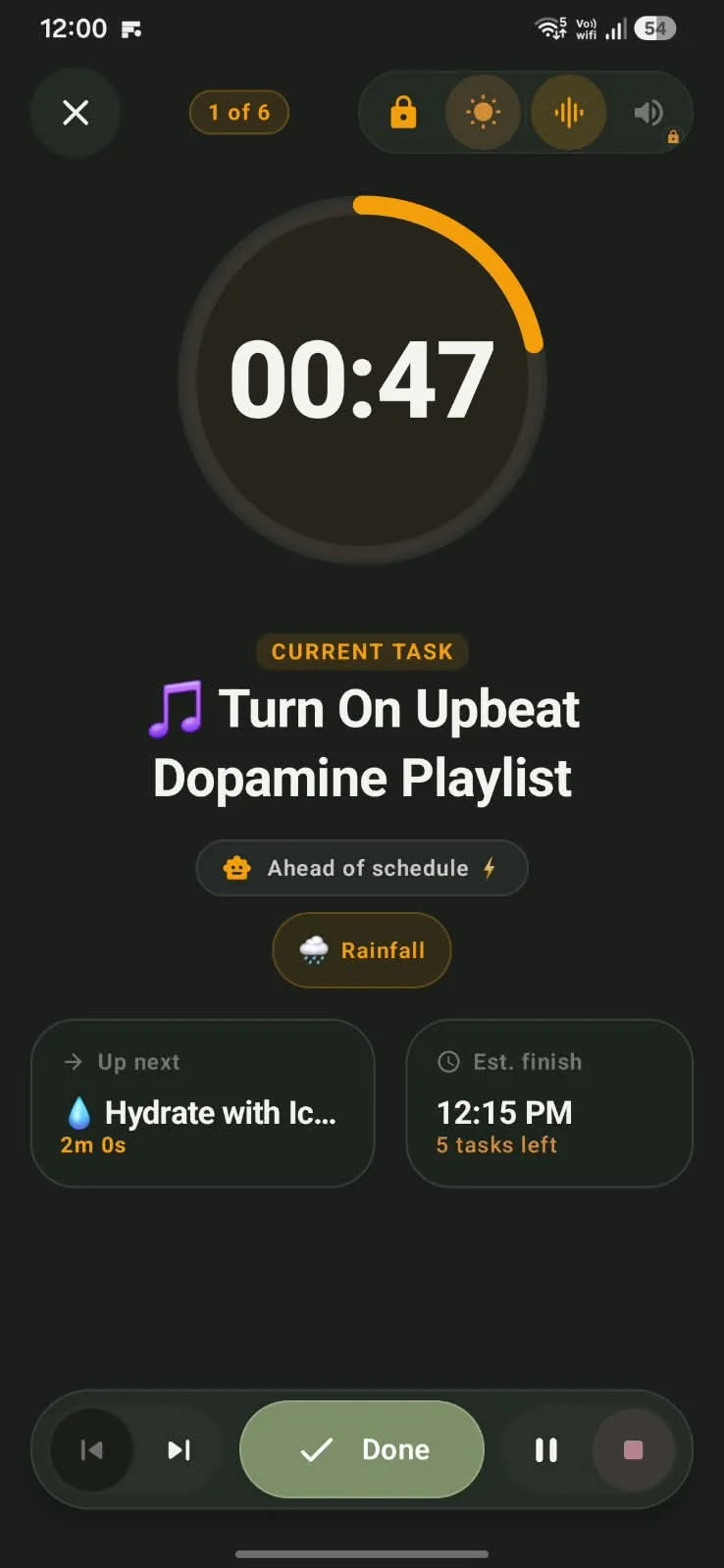
Actual screenshots running on Android
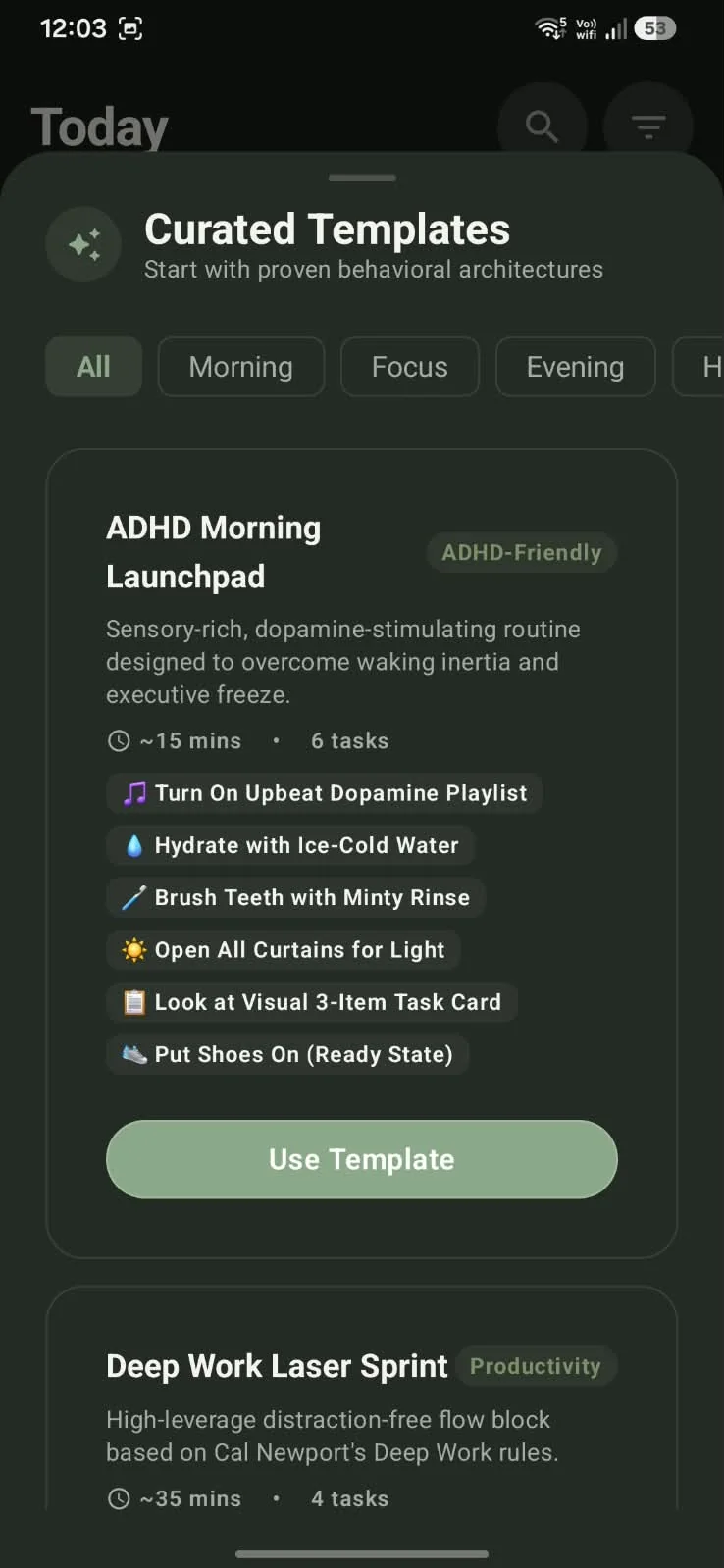
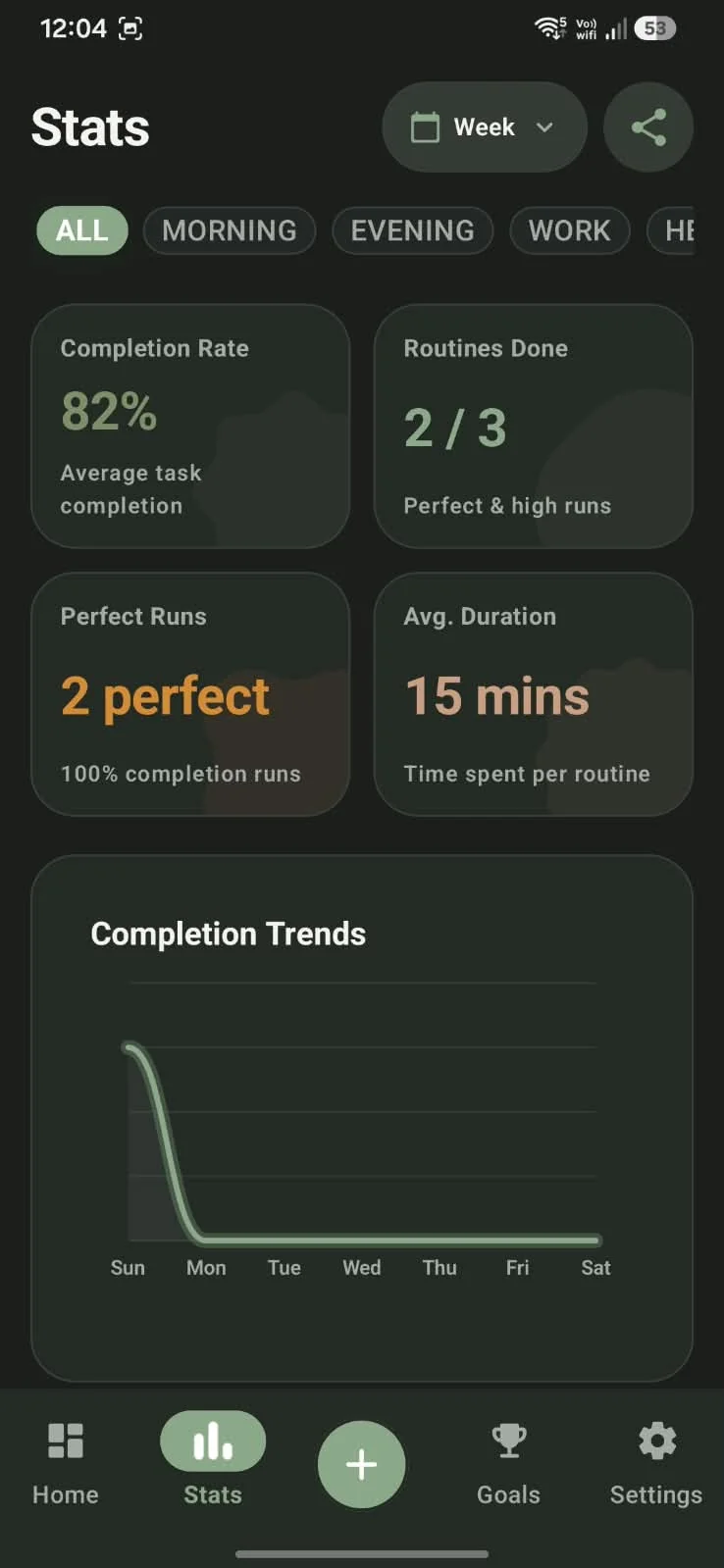
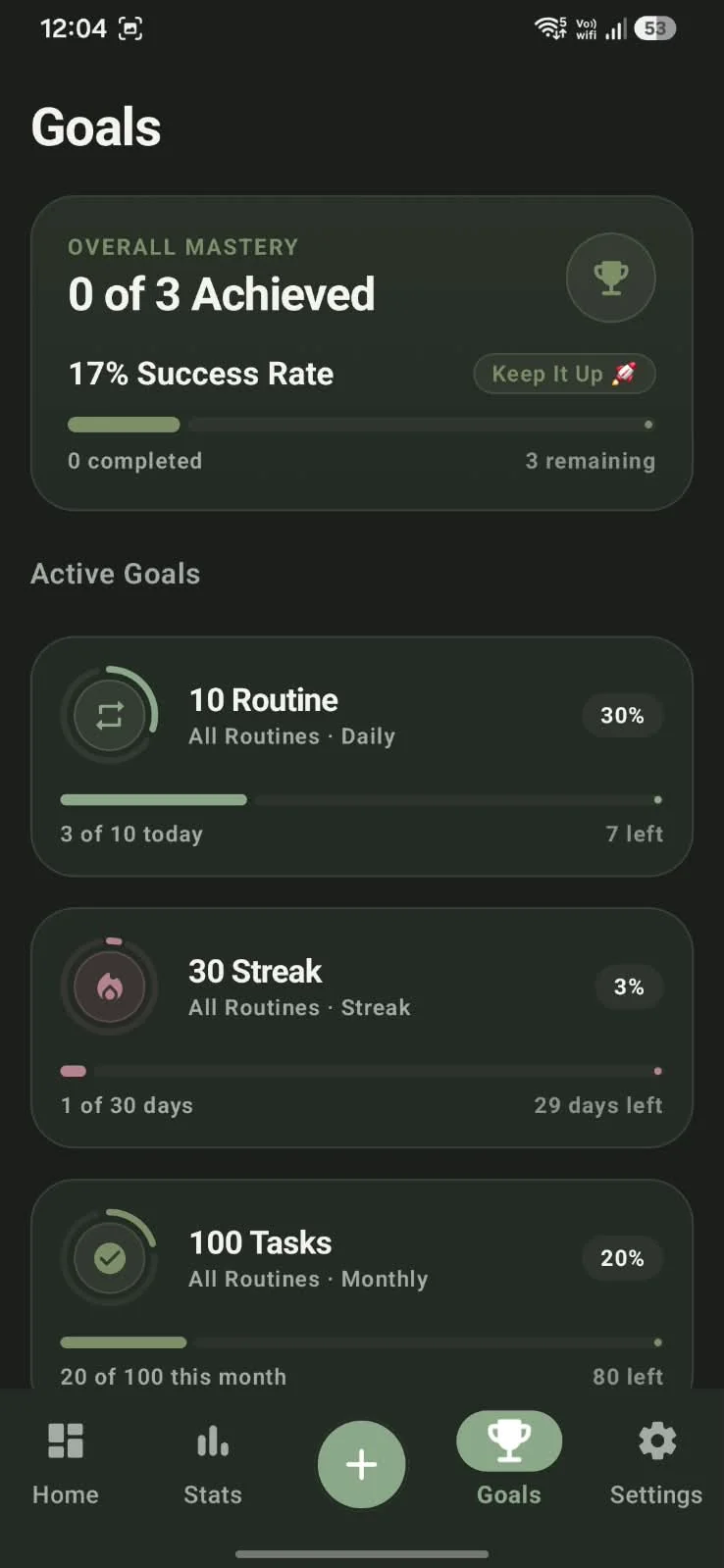
Built for How Your Brain Actually Thinks
Traditional to-do apps create checklist paralysis. NextStep breaks your day into manageable visual moments so you always know what to do right now.
See Your Time in Visual Blocks
Instead of a stressful list of 20 chores, NextStep organizes your morning, afternoon, and bedtime habits into structured visual blocks. You focus only on the step in front of you.
- Visual timers eliminate ADHD time-blindness
- Reorder habits with intuitive drag-and-drop
- Custom icons and colors make routines engaging
Persistent Alarms You Can't Miss
How many times have you swiped away a medication or leaving-the-house reminder and forgotten it completely? NextStep's full-screen alert sheets demand conscious action, ensuring critical routine steps get done.
- Full-screen alarm sheets stay visible until you respond
- Gentle audio and vibration alerts wake your focus
- Smart snooze with prominent countdown timers
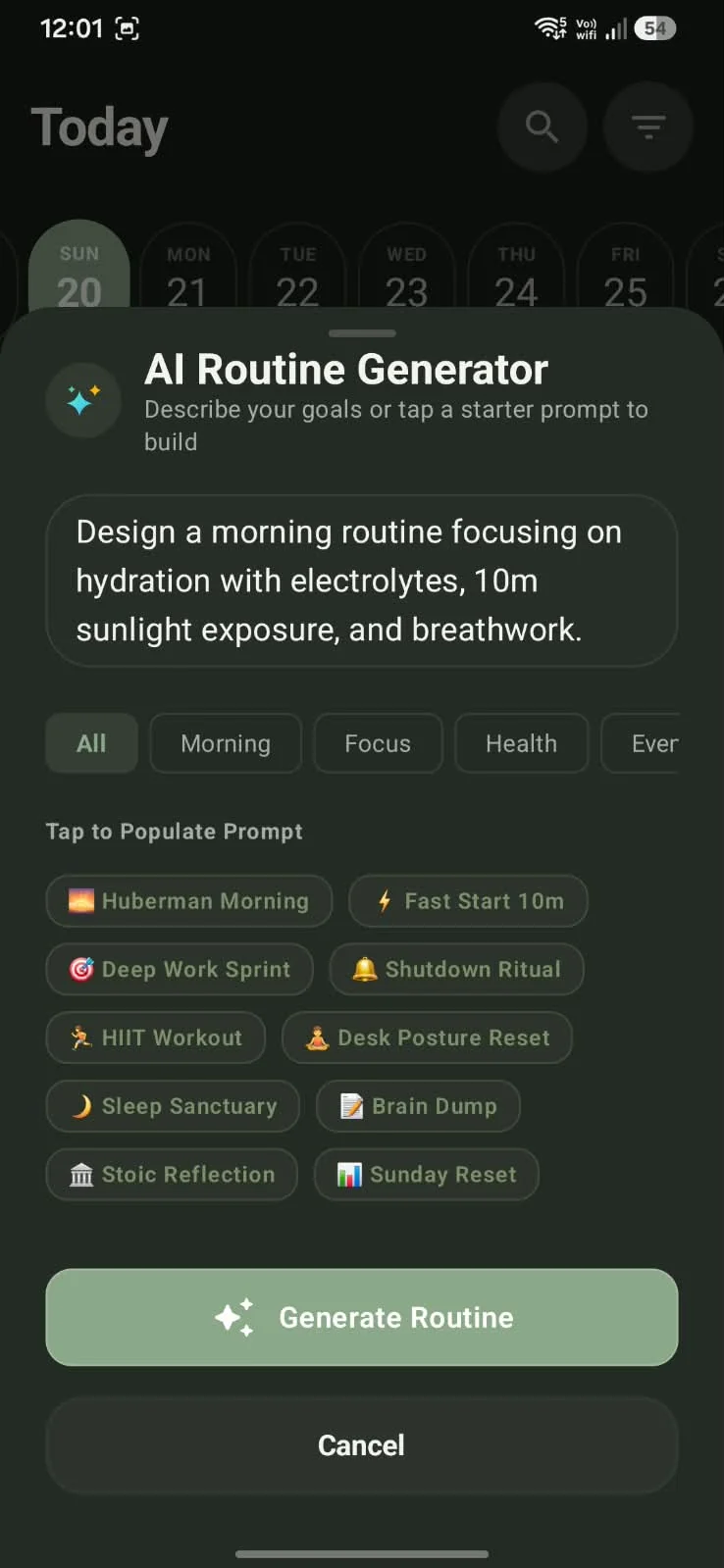
AI Routine Architect
Stuck in planning paralysis? NextStep features an intelligent routine assistant that crafts realistic, rhythm-aligned schedules based on your specific daily commitments and energy levels.
- Generate personalized routines in seconds
- Optimized for cognitive load and energy balance
- Easily customize or adapt suggested habits
Unstoppable Momentum
Rigid streaks cause shame spirals when a day gets missed. NextStep measures consistency and momentum rather than punishing broken streaks, keeping you encouraged and moving forward.
- Consistency analytics that celebrate progress
- No streak resets or guilt-inducing notifications
- Connect routine completion directly to your long-term goals
Why Regular To-Do Lists Fail ADHD Brains
Most productivity apps are built for neurotypical brains that enjoy managing endless lists. NextStep is engineered specifically to prevent overwhelm.
Traditional To-Do Apps
- Endless checklists that cause decision paralysis and anxiety
- Push notifications that get easily swiped away and forgotten
- Expensive monthly subscriptions ($40+/yr) for basic features
- Distracting pop-up ads and constant internet requirements
NextStep Routine Flow
- Visual time blocks showing only your current step right now
- Persistent full-screen alarms that refuse to be accidentally dismissed
- 100% Free forever with zero ads, subscriptions, or paywalls
- 100% offline-first and private—all data stays on your phone
Frequently Asked Questions
Everything you need to know about using NextStep.
Is NextStep truly 100% free?
Yes! Every single feature, routine builder, alarm setting, and widget is completely free. There are no subscriptions, in-app purchases, or sneaky paywalls.
Does NextStep work without an internet connection?
Yes. NextStep is built with an offline-first architecture. All your routines, alarms, and widgets run directly on your phone, making it completely reliable anywhere—even on flights.
Will my alarms still trigger if my phone is on Silent or Do Not Disturb?
NextStep uses Android's exact alarm permissions so that your critical scheduled reminders alert you reliably at the exact moment you need them.
How do I delete my data if I decide to uninstall?
You have total control over your data. Directly inside the app, simply go to Settings > Account > Delete Account to permanently wipe all stored habits and routines immediately.
App Information
Ready to take the NextStep?
Join thousands of users building peaceful morning and bedtime routines. Download free on Google Play today.